


Online and Mobile Banking
Digital Banking for Your Business
Access and manage your accounts anytime, transfer funds or send payments via ACH and wire, and receive real-time account and security alerts to keep your business running smoothly and securely. Choose the service level that best meets the needs of your business.

Simple, secure, round-the-clock financial access.
Bank from wherever business takes you with our highly rated mobile app, available in the Apple and Google Play app stores. Download it today for secure and convenient access to all your accounts.
Card Controls
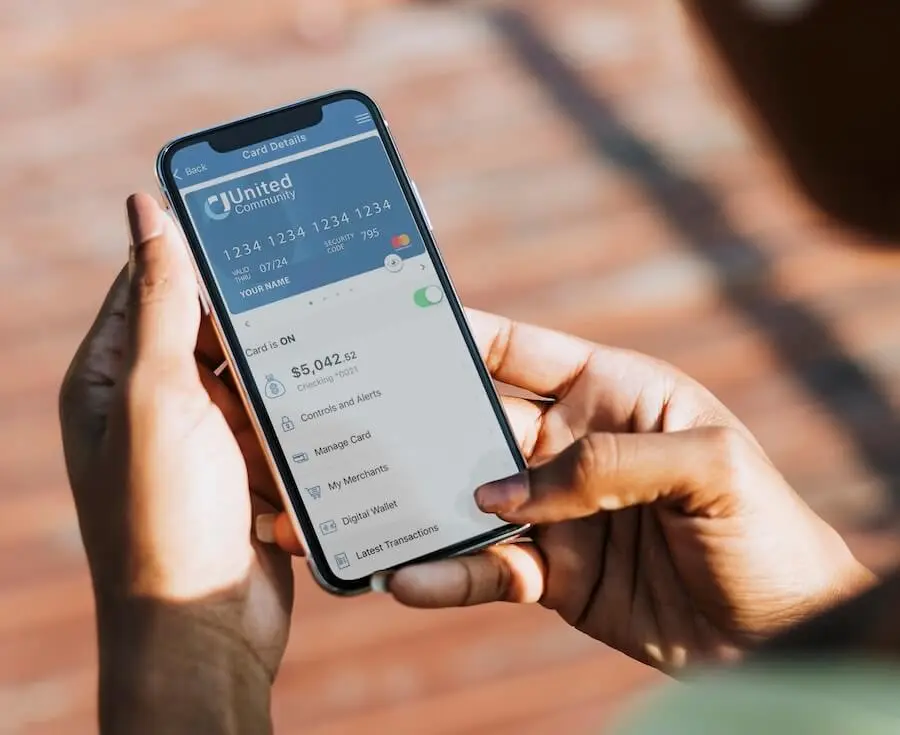
Protect your debit card with Card Controls—available within your online and mobile banking account. Once you’ve enrolled, you can set spending limits and travel notices, turn your card on and off with the touch of a button, and:
- Understand your spending clearly with spending insights, recurring payment information, ‘card-on-file’ merchant identification, and more.
- Get real-time transaction alerts so you know exactly when and where your card is being used.
- View a digital card on a mobile device and easily push it to Apple Pay or Google Pay.
Need Help with Online Banking?
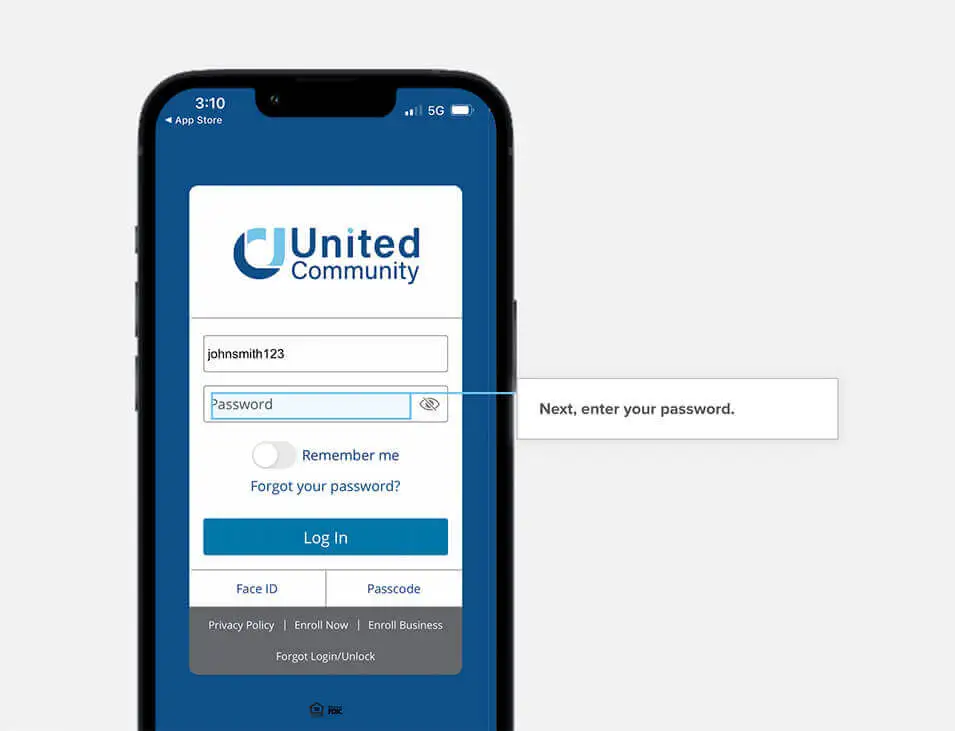
Start banking online with confidence with our new step-by-step demos.
Learn things like:
- How to enroll in online banking
- How to log in to the mobile app
- How to recover your password
- How to make a mobile deposit
- and more!
Online Banking Features
Business Bill Pay
eStatements
View, search, save, and print statements for all your United accounts—and protect yourself from the possibility of mail theft. To enroll for free, navigate to your delivery options settings within your online banking account and follow the directions.
Alerts and Notifications
No one likes surprises when it comes to finances. So we make sure you’re the first to know about every activity in your account. Simply set the alerts you’d like to receive in the settings menu of your online banking account to start receiving real-time alerts to your email or phone.
Invoicing and Payments for Small Businesses
Provide your customers with easy online payment options with Autobooks.4 You’ll be able to create and send great-looking invoices in minutes, and you can see who’s paid and who’s past due.
Treasury Management
Mobile Deposits
Deposit your checks with just the snap of a photo, without having to make a visit to the bank. The mobile deposit feature is only available within the United Community mobile app.
*United Community reserves the right to restrict mobile deposit access for new online banking customers.
Learning Resources



1 Sum of Monthly Access, Additional User and Additional Account fees will not exceed $70 per month.
2 Additional fees may apply.
3 Message and data rates may apply. Fees may apply for certain optional services through Business Online and Mobile Banking.
4 United Community Bank (“United”) is pleased to offer digital invoicing and payment technology services through Autobooks, Inc. (“Autobooks”), a third-party provider of online accounting services. By providing your contact information, you consent to be contacted by a representative with Autobooks. United, its subsidiaries, and its affiliates are not affiliated with Autobooks. The services referenced herein are provided exclusively by Autobooks. Customer’s use of such services is solely at customer’s election and is subject to Autobooks’s terms of use in all respects. Certain restrictions and fees apply for use of the service. United and its employees may be entitled to receive fees and incentives from Autobooks based on United’s customer’s use of these services. Autobooks may have privacy and security policies that are different from United’s Privacy Policy and Security Statement. You should review the Autobooks terms of use and the privacy and security policies on the Autobooks website before you provide personal or confidential information. Please refer to the Autobooks website for its statement on security and compliance. Note: Payments initiated through Autobooks products typically post to your United account in 1-2 business days; longer delays may apply in certain instances.